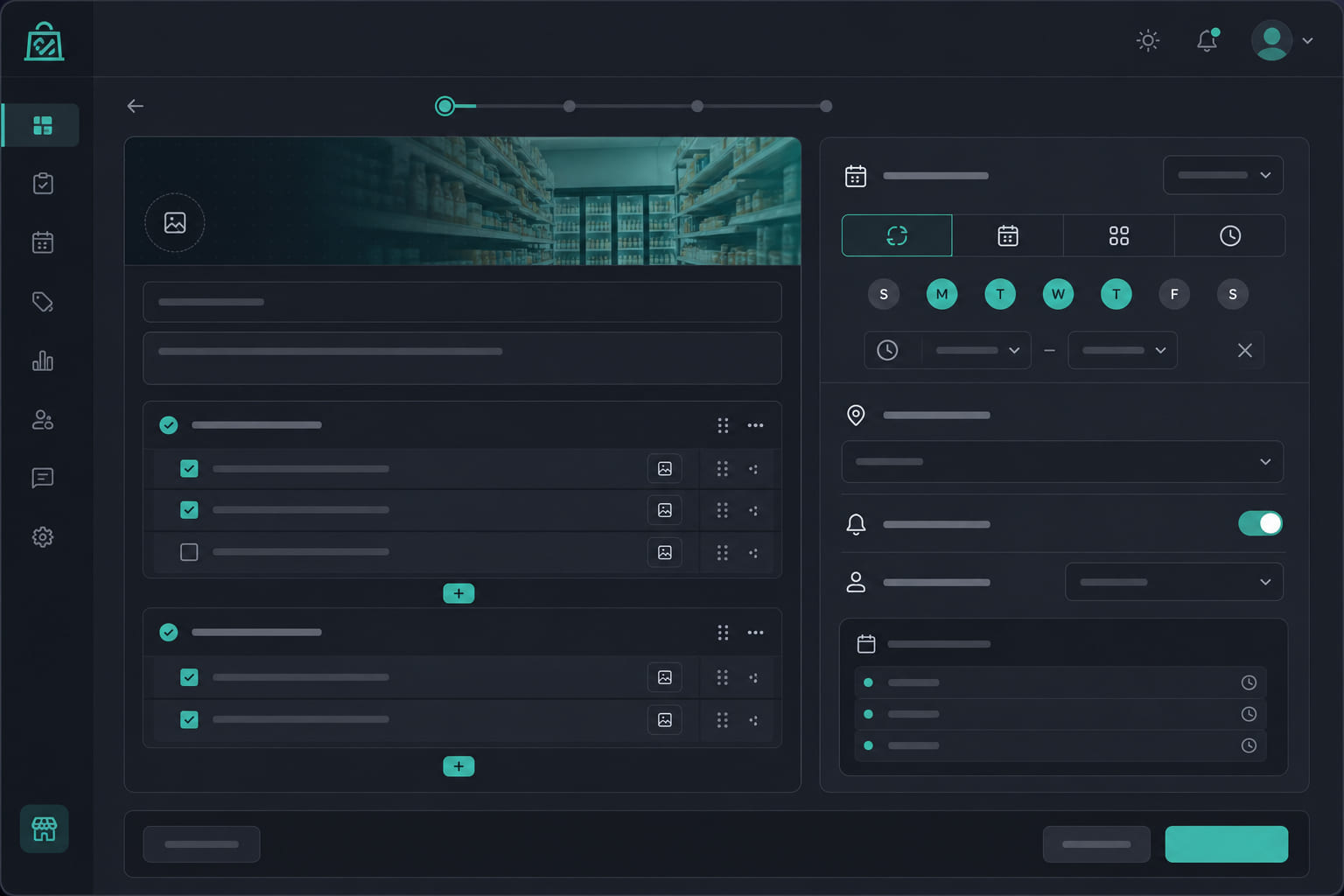
Templates vs one-off tasks
Task templates are reusable definitions with schedules. StoreBoard generates task instances automatically based on your recurrence rules — daily opens, weekly deep cleans, monthly inspections.
Creating a template
- Open Dashboard → Tasks and click New template.
- Name the task clearly — e.g. "Opening checklist" or "Close — food safety".
- Write instructions your team will see on the floor.
- Set recurrence: daily, weekly, biweekly, or monthly.
- Choose assignee scope: anyone on shift, specific roles, or named people.
- Select the one location this template applies to.
- Toggle photo required if proof is mandatory.
Completion modes
Tasks can require a simple checkbox or photo proof on completion. Photo-required tasks cannot be closed without an attached image.
Managing templates
- Edit templates anytime — changes apply to future instances.
- Pause or archive templates you no longer need.
- Duplicate a template to quickly create variations for another location.
Tip: Start with open and close lists. Most operators add shift-duty and weekly deep-clean templates in the second week.
Questions? See our FAQ & troubleshooting guide or contact support.
Ready to set up your store?
Create your account and configure your first location in minutes.
Get started